

Download Total CSV Converter – Free CSV Conversion Tool for Windows, Mac, Linux
Why Total CSV Converter Is the Best Free CSV Conversion Software for 2024
If you're someone who regularly handles CSV files—whether for data analysis, reporting, or sharing with colleagues—Total CSV Converter is a must-have tool. This free software offers a seamless way to convert CSV files into a wide range of formats, including Excel (XLSX), PDF, JSON, XML, HTML, and more. What sets it apart from other converters is its intuitive interface, powerful batch processing, and extensive customization options. Unlike many free tools that limit functionality, Total CSV Converter provides full-featured conversion without requiring a subscription. Whether you're a student, small business owner, or data analyst, this software is designed to save you time and reduce manual errors. The application is lightweight and fast, ensuring that even large CSV files are processed efficiently. With support for Windows, Mac, and Linux, it’s truly cross-platform, making it ideal for teams using different operating systems. The latest version includes improved stability, faster conversion speeds, and better file integrity checks. You can also customize delimiters, encoding, and headers during conversion, giving you full control over the output. All conversions are secure and private—your data never leaves your device. For users who need a reliable, free, and feature-rich CSV converter, Total CSV Converter delivers on every front.
Powerful Features That Make Total CSV Converter Stand Out
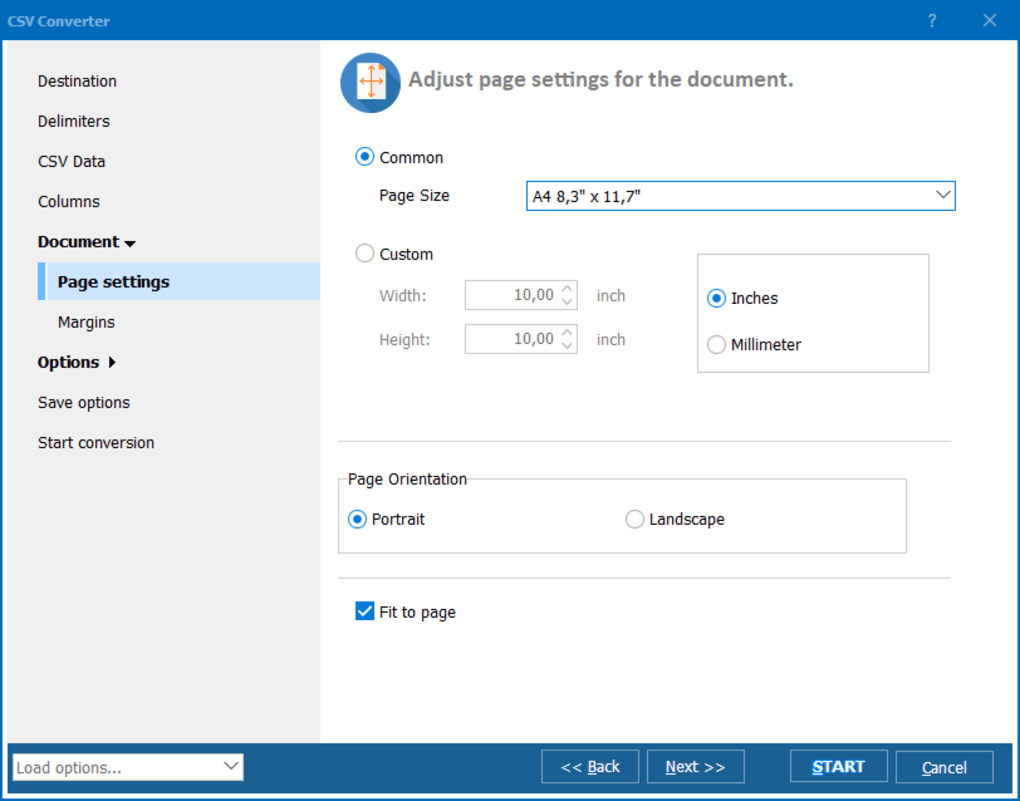
One of the main reasons Total CSV Converter has become a favorite among professionals is its rich feature set. First and foremost, it supports a wide range of output formats—Excel (XLSX), PDF, JSON, XML, HTML, DBF, and even database formats like MySQL and PostgreSQL. This flexibility ensures you can adapt your data for any platform or purpose. The batch conversion feature is a game-changer: you can process dozens or even hundreds of CSV files at once, saving hours of manual work. Simply drag and drop your files into the app, select the desired output format, and let the software handle the rest. The customization options are extensive. You can choose different delimiters (comma, semicolon, tab), specify encoding (UTF-8, ANSI, UTF-16), and decide whether to include headers in the output. For advanced users, there’s even a built-in preview mode that lets you see how your converted file will look before saving. Another standout feature is the command-line interface (CLI), which allows automation through scripts—perfect for developers or IT teams who want to integrate conversion into their workflows. The software also maintains data integrity by preserving formatting, dates, and special characters. Security is a top priority: all conversions happen locally, meaning your sensitive data never goes online. The user-friendly interface makes it easy for beginners, while the advanced options satisfy power users. With regular updates, the developers continue to improve performance and add new features, ensuring the tool stays relevant in 2024 and beyond.
- Convert CSV to Excel, PDF, JSON, XML, HTML, DBF, and more
- Batch processing for multiple files at once
- Customizable delimiters, encoding, and header options
- Command-line interface for automation and scripting
- Local processing—no data upload, fully secure
- Preview before conversion to ensure accuracy
- Supports Windows, Mac, and Linux operating systems
- Regular free updates with performance improvements
How to Install and Use Total CSV Converter on Any Device
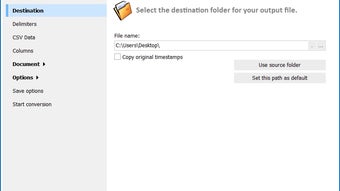
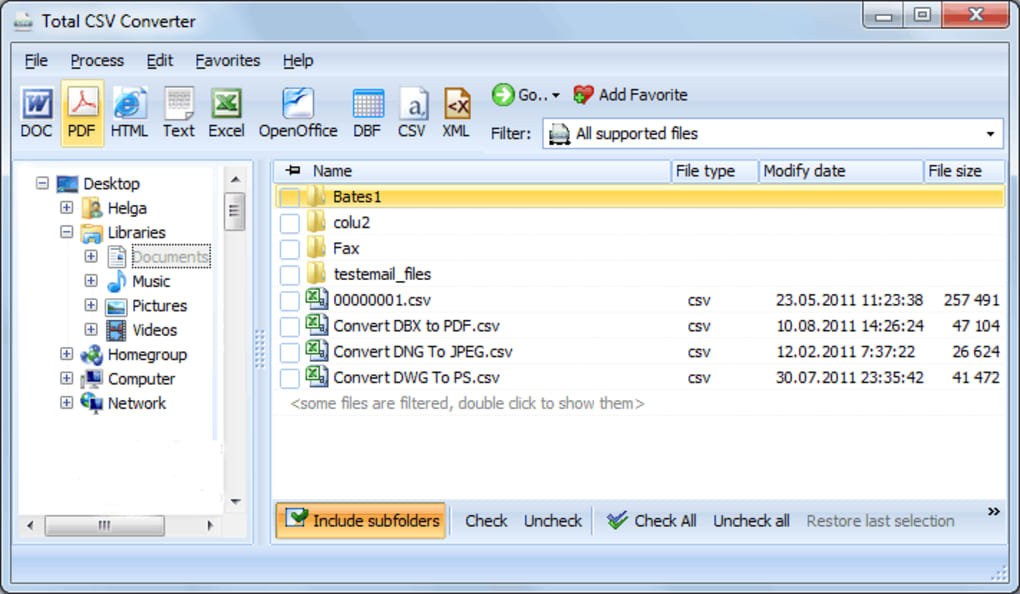
Getting started with Total CSV Converter is simple and straightforward. First, download the software from the official website. The installer is lightweight and installs quickly, taking only a few seconds on most systems. Once installed, launch the app—it opens with a clean, modern interface that’s easy to navigate. To convert a single file, click “Add Files” and select your CSV file, or simply drag and drop it into the window. Next, choose your desired output format from the dropdown menu. For example, if you want to convert to Excel, select XLSX. Then, customize the conversion settings: set the delimiter, encoding, and whether to include headers. If you’re processing multiple files, use the batch mode—add all your CSVs at once and apply the same settings to all. Click “Convert” and the software will process each file in sequence. You can monitor progress in real-time and choose a destination folder for the output files. For advanced users, the command-line interface offers even greater control. Open a terminal or command prompt, navigate to the installation directory, and run a conversion command like csv2xlsx.exe input.csv output.xlsx. This is ideal for integrating into automated workflows or scheduled tasks. The software also supports drag-and-drop from file explorers, making it highly accessible. On Mac and Linux, the app runs smoothly without requiring additional dependencies. All settings are saved between sessions, so you don’t need to reconfigure every time. Whether you’re a beginner or a tech-savvy user, Total CSV Converter provides a seamless experience across all platforms.
Compatibility and System Requirements for Seamless Use
One of the biggest advantages of Total CSV Converter is its broad compatibility. It runs smoothly on all major operating systems: Windows (7 and later), macOS (10.12 and above), and Linux distributions such as Ubuntu, Debian, and Fedora. This cross-platform support ensures that teams with mixed devices can use the same tool without friction. The software has minimal system requirements, making it suitable for older machines as well. You don’t need a high-end processor or large RAM—just a standard modern PC or laptop. The application is lightweight, consuming only a few MB of memory during operation, so it won’t slow down your system. It doesn’t require administrator privileges to install, which is great for users in corporate environments with restricted access. The installer is self-contained and doesn’t install unnecessary background services or bloatware. For users who prefer portable versions, a portable package is available—just extract the files and run the app without installation. This is ideal for USB drives or shared workstations. Total CSV Converter also handles large files efficiently, with no crashes even when processing CSVs over 100 MB. The developers regularly test the software across different hardware configurations to ensure stability. With no internet connection required for core functionality, it’s perfect for offline use in secure environments. Whether you’re working from home, in an office, or on the go, Total CSV Converter adapts to your setup without compromise.
Pros and Cons: Is Total CSV Converter Right for You?
- Pros:
- Completely free for personal use
- Supports a wide variety of output formats
- Fast batch conversion with customizable settings
- Local processing ensures data privacy and security
- Available on Windows, Mac, and Linux
- Regular free updates and bug fixes
- Intuitive interface for beginners and advanced users
- Command-line support for automation
- Cons:
- Advanced features like CLI are not ideal for non-technical users
- Limited customer support (no live chat or phone)
- No cloud integration or sync across devices
- Free version lacks some enterprise-level features
- Interface could use a more modern design refresh
Frequently Asked Questions (FAQ)
Is Total CSV Converter free to download and use?
Yes, Total CSV Converter is completely free to download and use for personal and non-commercial purposes. There are no hidden fees, trial periods, or watermarks. The software offers full functionality without requiring a license key.
Can I convert multiple CSV files at once?
Absolutely. Total CSV Converter supports batch conversion, allowing you to add multiple CSV files and convert them all to your desired format in one go. This feature saves significant time when working with large datasets.
Does Total CSV Converter support Mac and Linux?
Yes, the software is available for Windows, macOS (10.12 and above), and Linux (Ubuntu, Debian, Fedora). It runs natively on all platforms without requiring emulators or additional software.
Is my data safe when using this tool?
Yes, your data remains on your device at all times. Total CSV Converter performs all conversions locally—no files are uploaded to the internet. This ensures maximum privacy and security, especially for sensitive or confidential data.
Can I use Total CSV Converter in automated workflows?
Yes, the software includes a command-line interface (CLI) that allows you to automate conversions through scripts. This is ideal for developers, system administrators, or anyone who needs to integrate CSV conversion into larger processes.
Final Verdict: Why You Should Download Total CSV Converter Today
If you’re looking for a reliable, free, and secure tool to convert CSV files into Excel, PDF, JSON, or other formats, Total CSV Converter is one of the best options available in 2024. With its powerful batch processing, customizable settings, and cross-platform support, it caters to both beginners and advanced users. The fact that it runs locally ensures your data stays private and secure. Whether you're preparing reports, sharing data with clients, or integrating files into databases, this software streamlines the entire process. While it lacks some enterprise features and live support, the free version offers exceptional value. For anyone who works with CSV files regularly, downloading Total CSV Converter is a smart, no-risk decision. It’s fast, lightweight, and regularly updated—making it a long-term solution. Don’t waste time on inefficient manual conversions. Get started now and experience the ease and power of automated CSV conversion.
Download Total CSV Converter today and simplify your data workflow—free, secure, and instantly usable on Windows, Mac, and Linux.
TechReview Team April 5, 2024 A top-tier free tool for CSV conversion with excellent cross-platform support, batch processing, and local security. Highly recommended for personal and small business use.






